Performing backups on unrooted Android devices

Posted by Unknown Minggu, 04 Maret 2012 0 komentar
Today we will see how to make backups on unrooted Android devices. I am using Xoom running ICS, but the methods will be valid across devices, but there could be app incompatibilities on some versions of Android.

I. Data types
There are three kinds of data, user data (photos, videos and documents), user app data (like game data) and system data. Without rooting it's possible to backup user data and parts of app data, but system data is generally off-limit as root access is required.

II. User data (root not required)
Common data like audio, video, pictures and documents can be backed up easily after connecting the android device to the PC. Suffice to say, backup files should be saved on your PC. 

III. User app data (partly root required)

In HC and ICS (and maybe prior versions of Android), there are two locations where app data is stored: /data/* and android/data as well as individual folders in the internal storage. Unrooted, you cannot access /data but /android/data is accessible. You can backup the folder through your desktop.

Restoring is as simple as pasting the folder back in the appropriate place. Of course you will need to identify which app stores data in which folder for proper restoration or just restore the whole folder but do not overwrite anything.

If you are using this method after performing a factory reset, the trick is to install all the apk files, but to not open any of the apps. Restore everything from the backup and then start the apps.

IV. Software for backups
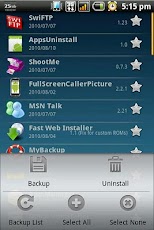
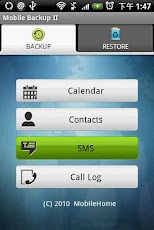
  • MyBackup Pro (30 day trial version): Similar to Titanium Backup, has many features which work unrooted. Can backup apps apk, contacts, call log, sms, mms, bookmarks etc. Worth checking.


  • App Backup & Restore (Free): Performs a single function which is to backup apk files. Has a dangerous permission requirement of Read Sensitive Log Data. So, if you are worried, install only when required.

  • App Backup & Reinstall: Another app to backup apk files. Some users have reported in the market that the backups got corrupted, so be careful.


V. Using Android Debug Bridge (ADB)
copkay at XDA, has found out a great way to backup almost everything without having root access. This is useful when, for ex, you want to root which could wipe the entire data.

If you do not have ADB installed check this post: ADB Installation Guide.

Backup
Here are the steps to follow:
1. Connect your device via USB, and open a command prompt (In Windows Go to run and type cmd, press enter)

2. Type the command 'adb devices' to ensure that your device is properly recognized. There will be an alphanumeric string indicating the device has been identified. If the device is not identified, DO NOT proceed, rather troubleshoot why that is so.

3. We will use the ADB command backup. Here is the format

adb backup [-f <file>] [-apk|-noapk] [-shared|-noshared] [-all] [-system|nosystem] [<packages...>]

If you want to do a full backup simple enter:
adb backup -apk -all -f C:\backup_02292012.ab

Parameters discussion:
  • [-f <file>] — Backup to a particular file, always use this so you know where your backup is
  • [-apk|-noapk] — backup applications apk (installation files) or not. default is no apk
  • [-shared|-noshared] — backup shared data like pictures, does not work very well, so even if you do use this, please do a separate backup for your personal data, as mentioned before
  • [-all] — backup all apps, unless you want to manually backup each app
  • [-system|-nosystem] — Whether or not to backup system apps, I do not recommend backing system apps
  • <packages...> — If you want to backup specific apps

When you are ready, enter the command in the command prompt on Windows. Once you do that, adb will send the instruction to your device and you will see a prompt. Select a password if you wish and then proceed. if you do select a password, do not forget or else the backup will be useless.

After this wait for several minutes depending upon the size of the back up to be done. Once it's completed, you will get a prompt on your device indicating the process has been completed.

Restore
To restore use the following command in command prompt:
adb restore C:\backup_02292012.ab

Simply follow the onscreen prompts on the device and wait for the process to complete. Congrats you have just done a complete restore.


IMP: This method does not work 100% correctly, so not everything will be restored, especially files in /data/media (sdcard folder), so do that manually. Also does not backup sms.

VI. Conclusion
Hopefully this post has helped you in identifying how to and what to backup on your unrooted Android devices. Especially the full backup using ADB is very powerful in case one is rooting or doing a factory reset or sending the device to Motorola for repairs.

If you know of other good apps let us know!

Please note: I take no responsibility if you mess anything, delete your personal data or even brick your device. If you are not comfortable with anything do not proceed, especially when using ADB.

 Previous coverage under Android for All, our special education and informative primers on Android, include Android Permissions Black Book, Syncing MTP devices (like Android based devices) with Windows, Reverse tethering on your Android: Use Windows Internet connection on your Android! and ADB Installation Guide.


Baca Selengkapnya ....

5 Top rated camera apps make your android phone become funny digital camera

Posted by Unknown Senin, 27 Februari 2012 0 komentar
Maybe you are really not satisfied with the quality and capability of your Android phone camera. Because of the original ROM, the image got worse even it taken from 5 Mega Pixel or even higher. And you can not take some notes or add some funny/cool stuff on your photo instantly. Fortunately, we still can download the camera app to make our main camera become much more powerful. But there are dozens of camera apps in Android market. Don't worry, today, I just picked out 5 top rated camera apps for you. Let's check them all.

Top 5: Camera360 Ultimate (Rated: 4.3)
Camera360 Ultimate

Camera360 is a worldwide popular camera app for Phone, and ever pointed as one of TOP 100 technology products by PC World. With its simple operations, fantastic effects, and fluent UE, Camera360 won support and favor from more than 20 million fans in every corner on the earth within just one year. Camera360 finally leads fashion of phone photography’s development.


Top 4: Retro Camera (Rated: 4.3)
Retro Camera
With Retro Camera you'll take delicious old-school pics your friends will drool over. 5 cameras, 5 sets of vintage vignetting, film scratch, black and white & cross processing effects for that off-the-hip analog look. Inspired by the Lomo, Holga, Polaroid, Diana, the toy cameras and Hipstamatic. Instant Nostalgia now free.

Top 3: FxCamera (Rated: 4.4)
FxCamera
This is an awesome app, it brings extra functionality to Android’s camera. Some of these features probably should’ve been included natively in Android. Not only is this app really good it is also a fun app to play with. There’s a Fisheye setting, Polaroid and SymmetriCam, SymmetriCam is my favorite, it displays an upside down copy of the picture you took next to the original.

Top 2: Little Photo (Rated: 4.5)
Little Photo
The Little Photo Android App by Moment app is an camera app that has integrates with Android and offers several options above and beyond the stock camera app. The app was well designed with a simple to use interface that allows for easy manipulation of photos. The tools to edit photos and render effects were carefully chosen and as such are reflected in the app itself.

Top 1: PicsArt - Photo Studio (Rated: 4.7)
PicsArt
PicsArt combines the best features of many photo applications it is one of best and most complete photo editors available for free in the market for Android devices. It support various practical functions like Picture editor, Magic effects, Draw, Sharing, Network, Camera and Live Wallpaper.

Have you ever find one app that you want to install, if you want to download or learn about the app more, you can just click the app name, and ckeck it on Android official market. Just take out your android phone to keep the beautiful moment now!

Baca Selengkapnya ....

Middle School Memories

Posted by Unknown Sabtu, 25 Februari 2012 0 komentar

Yesterday I went to school. Middle school. I took a placement test for a free Korean language class that's held by the government. I only found out about the test about 2-1/2 weeks ago. My initial plan was to cram for two weeks leading up to the test. However, a number of crisis intervened, including a broken tooth filling and a couple of work projects went into emergency mode. Also, one fellow had advised me, if you cram for a placement test, you might find yourself placed artifically high in the classes, and really struggle. So, crisis, lack of time, and my natural laziness conspired to find me arriving Saturday noon at the testing location woefully unprepared. Not to mention I was without voice due to Karaoke the night before (yes, I know, really poor planning on my part).

Well, the first mishap is that I was nearly killed on the way to the school! It's a lovely day, not too cold. I'm walking leisurely up the hill to the school, taking in the scenery, and suddenly there's a shout from a woman above me! Before I can react, there's a huge crash on the street about 1 meter to my left. When I came to my senses, I saw what had happened. The woman was up on the third floor of a building, and was opening her window. But something went wrong, and her window screen fell to the ground. It wasn't one of these flimsy window screens like I've known in America - it was in a real hefty steel frame, and could have done some serious damage, especially falling from the third floor. If the uphill walk wasn't already quickening my pulse, this certainly did.

On arrival at the school, the scene was slight confusion, but we were processed with minimal fuss and sent to our assigned class rooms. I was told to go to room 2-5 on the fourth floor (note to Korean architects: it's often common practice to include the floor in the room number, for example, room 4-5 on the fourth floor). Adding to the room number confusion was that someone had helpfully prepared paper signs and covered all the original room numbers signs. The read something like "testing classroom 4". Naturally, the fellow downstairs at check-in didn't tell me which "testing classroom" to visit! Fortunately the original room number signs were double-sided, and by walking past the classroom and looking at the back side of the sign, you could read the original number.

This was my first visit to any school in Korea. I don't know what I expected, but it was like stepping into my middle school in the 70's. This school also had some open, outdoor corridors in common with my middle school, adding to the deja-vu feeling. Despite new trends and technology over the decades, I guess the old classroom formula still works, or is still in demand. The room wouldn't have won any interior design awards, but it was very functional, very sturdy, overall appealing to The Stumbling Engineer! One concession to modern times, the chalk was replaced by some type of liquid chalk. It resembled a paint pen. This must be the next generation of chalk boards after the white board. In fact, the board itself looked almost identical to a chalk board. You could probably write on it with chalk, but the texture was a little bit different. I didn't see any high tech equipment, although there was a ceiling-mounted projector (I guess the teacher brings in a computer as-needed). I've heard from my teacher friends how the students clean the classroom themselves, and I noted the mop and broom storage closet in the back of the class. There was even a huge open sink built into the hallway for cleaning their mops (I'm assuming the students don't bathe in the open hallway). I'm going to ask my teacher friends next time how this compares to having a janitor. I'm not sure which results in better and more efficient cleaning - a bunch of energetic kids, or an old man or woman janitor cleaning the school at night.

On the Korean language, I know my ability (not great, maybe low-intermediate), and I know my strengths (good grasp of the grammar) and weaknesses (poor vocabulary with big gaps). I was prepared for my test results to reflect this. What I wasn't prepared for were the instructions - everything was in Korean. In hindsight, this shouldn't have been a surprise. But there were some moments when I was completely lost. Adding to the confusion was simple, but poorly-explained (even on the English instruction sheet) method of filling in the optically scanned test card. Were I giving the instructions in English, I could have said it simply in about three sentences: (1) fill in your answers first with the red pen. (2) the scanner can't read the red pen. (3) at the end of the test, redo your answers using the black pen. These proctors went on and on about this procedure, and frankly I think they caused more confusion than they helped.

I was really doubting my ability after a few minutes in the class room. Most of the students were conversing in Korean, and asking questions in Korean to the teacher with a confidence and speed that I don't have. I was able to understand much of what was said, but it left me feeling even more unprepared than I was. Fortunately a kind fellow from Uzbekistan sat in front of me, and helped translate some of the proctor's instructions to English for me.

We had 50 minutes to complete the test. I would have been more comfortable with an hour, but more than that wouldn't have helped me at all. I felt rushed the last 25% of the test, but then again, with my gaps in vocabulary, and these final questions being the most difficult, I don't think I could have done better. In fact, some of these questions I probably missed because I couldn't understand what they were asking, not because I didn't know the language point being tested. There were several questions which listed four complete sentences, and I was supposed to choose one, based on a criteria which I couldn't understand!

So, we finished the test and handed in our papers. Then we were told to just sit and wait until it was our turn for the next portion of the test. I really didn't know what this "next portion" was. I had read various accounts online, that it was an "interview" or that it was a "reading test", or that you actually read aloud. I wasn't particulary comfortable with any of these, the reading aloud especially (too bad they didn't ask us to SING some Korean out loud, I would have made perfect marks). I probably could have done a self-introduction and interview the best, but alas, that wasn't in the cards. In fact, NOTHING was in the cards for almost three hours of waiting.

I should explain that the test started at 1pm. We were told to report at 12:30pm. Now in Seoul, from my experience, most people's lunch time starts at 12:30pm. I had eaten a large breakfast, so I wasn't hungry. But after an hour or so, many of the folks were complaining. Some quite vocally. I'm surprised nobody thought to order delivery food, it being so common in Korea. I almost suggested that myself, but I was so embarassed about my Korean I kept my mouth shut. The delay was due to Part II of the test. They took groups of 5 people into a room, and sat them in front of two Korean teachers. This process took about 10 minutes per group. They started this testing at "testing classroom 1", and my class was #6 I think (and there were one or two more behind us). Our classroom held about 30 people, so you can do the math. It was a long wait (hence my newfound detailed knowledge of the Korean middle school classroom).

Finally, around 4pm, it was my turn. Five of us were taken to sit outside the exam room, where we waited a few minutes until we were ushered in. My Uzbekistan classmate peered in the windows, and reported there were actually two tables of two teachers. One pair of teachers appeared to be very cheerful ladies, and the other table had one lady and one very serious, stern man. Alas, we were finally sent inside to be seated at Mr. Sternface's table. The beginning wasn't too bad. There was a short story about the four seasons in Korea, and some of the typical characteristics of each season (it's hot in summer, flowers bloom in spring...) Starting at one end of the table, we each read a few sentences of the story. I read my few sentences, thus ending the story for the 2nd time. I guess my voice was really shot, because she asked me to start the story again for a third time. Despite my voice, and despite my being the most afraid of sight reading, this was really not very hard. It was still awkward, but they had us read the story silently at first, and it helps that the story was pretty simple and I actually understood it (as opposed to just sounding out words without knowing what they mean).

For me, the test went downhill from there. They started asking us questions, and she started with me. And this is where my poor vocabulary really "shined". She asked me "how many seasons" are there, but I didn't recognize the word for "season". I had to reply that I didn't know - surely this made me look quite foolish. She let me save face by asking a follow-on question which was much simpler, to which I was able to stutter a hopefully-understandable answer. I was nervous coming into this part of the test, I was doubly so now. So she started asking other students various questions. What messed me up several times was she would ask the same question 2 or 3 times. I would understand the questions and the students replies, and was following along pretty well. One such question, for example, "In the hot summer, in Korea we often eat ice cold noodles. In your country, are there any special foods you eat in the summer?" So my brain was thinking about that topic, and I was fully prepared to give my answer. But when she got to me, she would switch up the question and catch me off-guard. This happened several times, and was quite frustrating. I wanted to scream "let me answer his question"... I did manage to answer a couple of her questions with what I believe were a few coherent sentences, as opposed to one-word or short phrases. But it was discouraging to hear some of the other students smooth, flowing and coherent answers. Especially when I know I can also speak like that, if the discussion centers on a topic for which I have the vocabulary, like food.

The test mercifully ended, and I breathed a deep sigh of relief. On the way out, I congratulated Mr. Uzbek and wished him a high score. He clearly had a good command of Korean, and I'm sure he'll do well. He was also more observant than me - across from us, Mr. Sternface, who never once asked us any questions, was busily marking our scores on the grading chart. Mr. Uzbek methodically noticed the scores we received! He told me that he got a 4 in every category, and noticed that I got all threes. But some of the other ladies in our group were graded even lower, one lady getting all ones! I'm surprised I even got as high as all threes, and even more surprised to know I wasn't the worst in the group. As best as I could understand, the scores will be posted online next week.

Being an engineer with a problem-solving mind, I kept wondering how they could have better structured the test to avoid the long wait. I'm not sure it would be possible, short of staggering the arrivals in groups - that would probably be too much trouble. On the other hand, this long wait could have been handled better, if only the length of the wait had been explained in advance. People could have made sure to eat their lunch before arriving. Or they could have brought a lunch/snack with them. They could have suggested ordering delivery food to the students, maybe have some nearby restaurant menus available? Maybe just scheduling the test just a little later, to make sure everyone ate first? As for me, I didn't mind the wait itself, it was just the anticipation of the test which bothered me. Had we done the oral test first, then waited for the written test, I would have been much more comfortable. Oh well, all said, it wasn't that bad, and I would give the organizers a B+ for their efforts.

Baca Selengkapnya ....

Top 5 Free Security and Antivirus tools to protect your android phone all the time

Posted by Unknown Selasa, 21 Februari 2012 0 komentar
As an open source OS, android allows anybody to modify the system files and develop the app for it. It could result the potential security hazard to the mobile bill and your personal information  in your Android phone. Actually, if you just install app with Android Market or download from my blog (every app is links to Android Market ), I think your phone is safe. But not all of apps what you need can be found from Market. Now I think you should install the security & Antivirus app to scan your phone and protect it totally. Today, I have collected 5 best free security & Antivirus apps from Android Market for you. Let's take a look!

Top 5: Norton Security and Antivirus (Rated: 4.2)

Norton™ Mobile Security Lite protects your mobile device against loss, theft and malware. Norton lends its anti-malware, anti virus, and security expertise to mobile. Your life and your important Stuff is on your phone. Keep it safe with Norton™ Mobile Security Lite for Android.

Top 4: Antivirus Free (Rated: 4.4)

AVG Antivirus for Smartphones & Tablets automatically detects harmful Apps & SMS AVG Mobilation™ Antivirus Free is a free mobile security solution that helps protects your phone from viruses, malware, spyware & online exploitation in real-time.


Top 3: Lookout Security & Antivirus (Rated: 4.5)

Antivirus prevention isn't anywhere near as necessary for Android devices as it is for Windows computers just yet. As Android's market share grows, though, so will the attacks. More importantly for the here and now, Lookout Mobile Security provides key security options that are unique to the mobile market. Along with the antivirus and anti-malware tech, there's a lost and stolen phone locator service, an application privacy adviser, and a backup service.

Top 2: avast! Mobile Security (Rated: 4.6)

Protect personal data with automatic virus scans and infected-URL alerts. Stop hackers by adding a firewall (rooted phones). Control anti-theft features with remote SMS commands for: history wipe, phone lock, siren activation, GPS tracking, audio monitoring, and many other useful tools. Your ‘invisible’ app hides itself, making it extremely hard for thieves to find and disable. A standalone yet tightly integrated component of avast! Mobile Security, avast! Anti-Theft is the slyest component on the market. Formerly known as Theft Aware, the Anti-Theft portion of avast! Mobile Security has been recommended by leading industry experts that include T-Mobile, N-TV, AndroidPIT, and Android Police.

Top 1: Dr.Web Anti-virus Light (Rated: 4.6)

Dr.Web anti-virus Light uses the unique algorithm to detect malware – Origins Tracing™ for Android – which allows detecting the new virus families using the knowledge database on previous threats. A unique record is created for each malicious program and describes the behavior algorithm of this sample. This provides the efficiency of detecting new modifications of the whole virus family and significantly reduces the size of virus databases.

I just list the overview of those apps instead of the whole functions, if you want to know more about them , just click each title to check in Market. With one of the protection of those apps, your mobile phone is almost safe. But the virus is countless, if you want your phone always keep clean, please install the apps from Market.

Baca Selengkapnya ....

5 top rated free online music apps to make you enjoy any music anytime

Posted by Unknown Minggu, 19 Februari 2012 0 komentar
Because of the various of fresh music, many people prefer to listen to the music online according to rates and clicks. Today, there is quite an abundance of online music streaming services to choose, so is for Android. Today, I picked up 5 tip rated online music apps for you, and all of them are free. Let's get it start.

Top 5: Rdio (Rated: 4.0)

Rdio is the best way to discover, play and share millions of songs, wherever you go – completely ad-free. And even offline, when you don’t have a 3G or Wi-Fi connection.

Play any of our 12+ million songs as much as you like, curate your own collection of favorites, subscribe to great playlists made by friends or influencers or create your own. Follow along in all the activity from the people you follow – the best way to discover favorite songs new and old. Or, for a quick hit of albums most popular in your network, check out Heavy Rotation.

Top 4: Last.fm (Rated: 4.0)


It is a personal radio station on your phone. Choose an artist or genre and Last.fm builds the perfect playlist just for you, fresh every time, featuring your favorites and new discoveries powered by millions of Last.fm users sharing the music they love. You can skip any song and find out about concerts, too.


Top 3: 4shared Music (Rated: 4.1)

4shared Music for Android lets you get instant access to all music files at 4shared and your account. You can search for music you like and access it anytime and from anywhere with your mobile device. "Manage your playlist” option lets you add favorite tracks into playlists. Thus, you don’t need to search everytime you want listen to music. Just open a playlist with your favorite tracks, and music starts playing.

Top 2: Spotify (Rated: 4.1)

Spotify is an innovative digital music service offering music fans instant access to a world of music. Spotify enables on-demand streaming of audio content and aims to be a better alternative to music piracy by offering a superior user experience, while monetising licensed content with both an ad-supported, free-to-the-user model and a premium, paid model. Spotify brings fans closer to the music and artists they love, and provides a marketplace for additional products such as live events, music downloads and more.

Top 1: Pandora® internet radio (Rated: 4.5)

Pandora® internet radio is your own FREE personalized radio now available to stream music on your phone. Start with the name of one of your favorite artists, songs or classical composers and Pandora will create a "station" that plays their music and more music like it.

Have you find which free app you want to stream music to your android phone? If you do not only wanna listen to the music, but also need other news or what, maybe this post could be helpful to you: Top 5 Internet Radio Apps For Android

Baca Selengkapnya ....

Try Google Chrome on Android

Posted by Unknown Kamis, 16 Februari 2012 0 komentar
Perhaps many of you who asked - asked, why Google is having pride in your browser, Chrome, do not put it all in each package besutannya OS for smartphones, Android? I also think that sometimes - sometimes, because if you feel the default browser for it (dolphin), I think there is 'less'. Google seems to hear this question because it proved Google Chrome for Android has just released. But unfortunately, in this beta version of Google Chrome is only support for mobile phone and use the tablet upscale Android version 4, Ice Cream Sandwich.

A thousand times more dear, for now Google Chrome for Android as well not exist in Indonesia, several countries that have been given the chance to taste it, among others, the United States, Canada, Britain, France, Germany, Spain, Australia, Japan, Korea, Mexico, Argentina and Brazil.

To install Google Chrome for Android, andaakan find a very attractive user interface, the tabs are now in a position berjajr Lanscape but will accumulate and clump together as portrait, as well as bookmarks and open tabs which can be accessed in a variety of gadgets and PC even when you log in to in Google Chrome. Was coupled with the incognito window when you want to browse without leaving a trace.

About - about how many more months, yes, 1 month, 2 months or less ya let Google Chrome support for mobile lower middle class or even lower with the Android Froyo though? So wait for try.

Baca Selengkapnya ....

Angry Birds Popular Games For Android Download

Posted by Unknown 0 komentar
Angry Birds is the Windows version of the popular game available on several mobile platforms - Android, iPhone and Symbian, for example - and loved by millions.

Birds on the big screen

The idea behind Angry Birds is simple: using a slingshot to fire birds, you must destroy the fortified castles where the pigs live. It sounds easy, but there are lots of factors you need to take into account: the strength of your shot, the type of bird you’re firing and above all, physics.

From touchscreen to mouse!

Angry Birds features awesome graphics and funny sound effects which, together with its simplicity and excellent gameplay, ensure that the Windows version of this game is just as addictive as the others. There are 195 levels to beat, so it will keep you entertained for a while.
Angry Birds for Windows is available for purchase through Intel AppUp. In order to play, you need to download the Intel AppUp installer and then buy the game on the Intel AppUp website.

Download Angry Birds Click Here

Baca Selengkapnya ....
Trik SEO Terbaru support Online Shop Baju Wanita - Original design by Bamz | Copyright of samsung galaxy s2.